


 June 26, 2018, 04:36 PM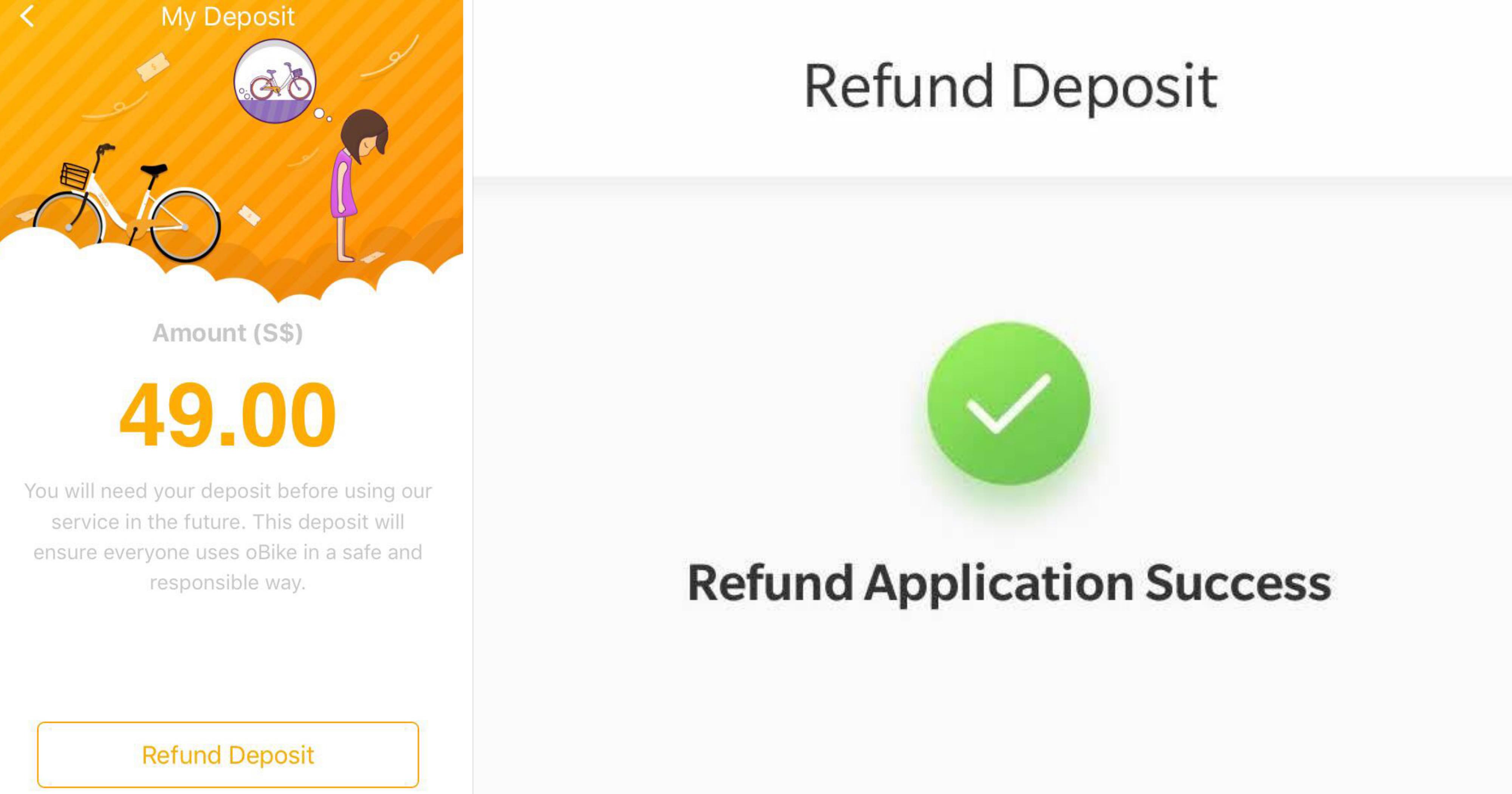

If you haven't heard, oBike has pulled out of the Singapore market, leaving many users struggling to get their S$49 deposit refunded:
The main problem appears to be the fact that the "refund deposit" button is no longer functioning:
However, one of our readers told us that he successfully applied for a refund on the bike-sharing app, and even shared the method he used.
We then tried it out for ourselves, and it (kinda) worked.
Unfortunately, the method is only applicable for Android users, so iPhone users will have to keep emailing them.
Here's a step-by-step guide for your easy reference.
Older version of oBike app
If you have the latest version (3.4.3) of the app on your phone, you will need to download an older version (3.4.2) first.
- Before you start, uninstall your current oBike app.
- Download and install Aptoide on your phone by visiting this link. Aptoide is a third-party app store, and an alternative to Google Play. If you have concerns, you can read more about the Aptoide on this forum thread.
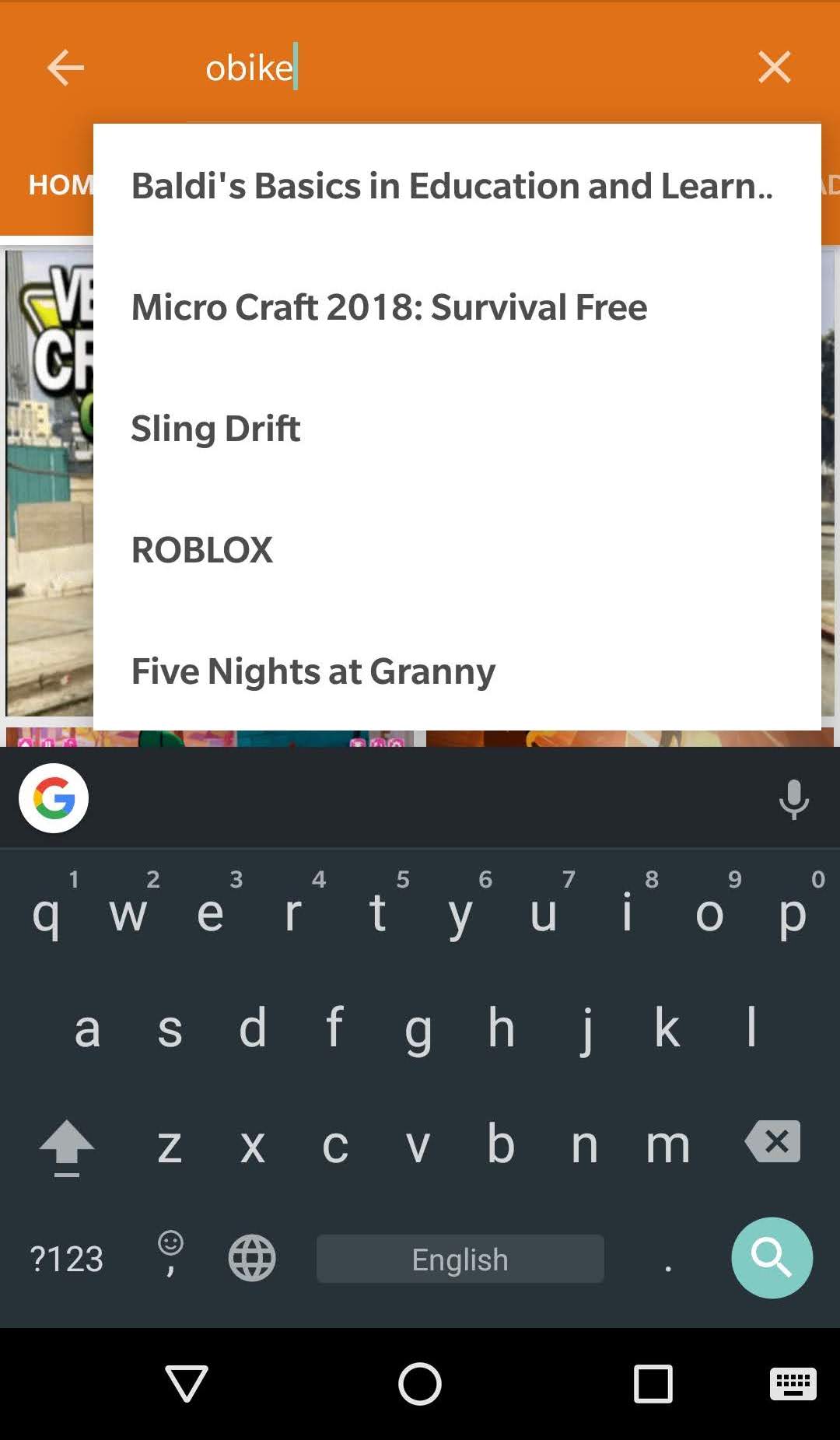
- Once you have the Aptoide app on your phone, tap on it and search for oBike.
- Tap on "Other versions" and look for 3.4.2.


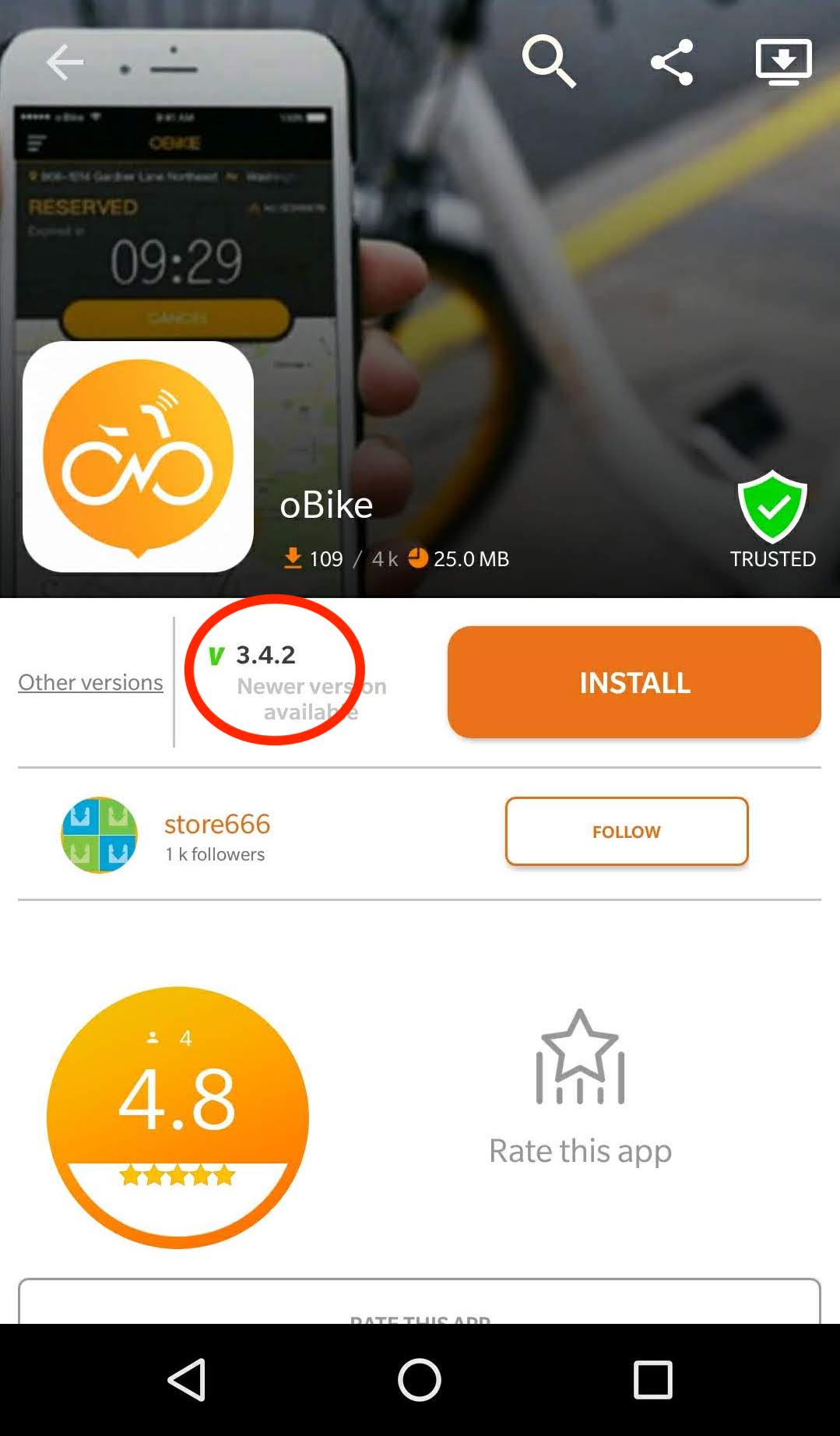
- Install the app.
[related_story]
Getting your refund
- Start the oBike app on your phone.
- Before this pop-up appears, tap on the menu in the top right hand corner:
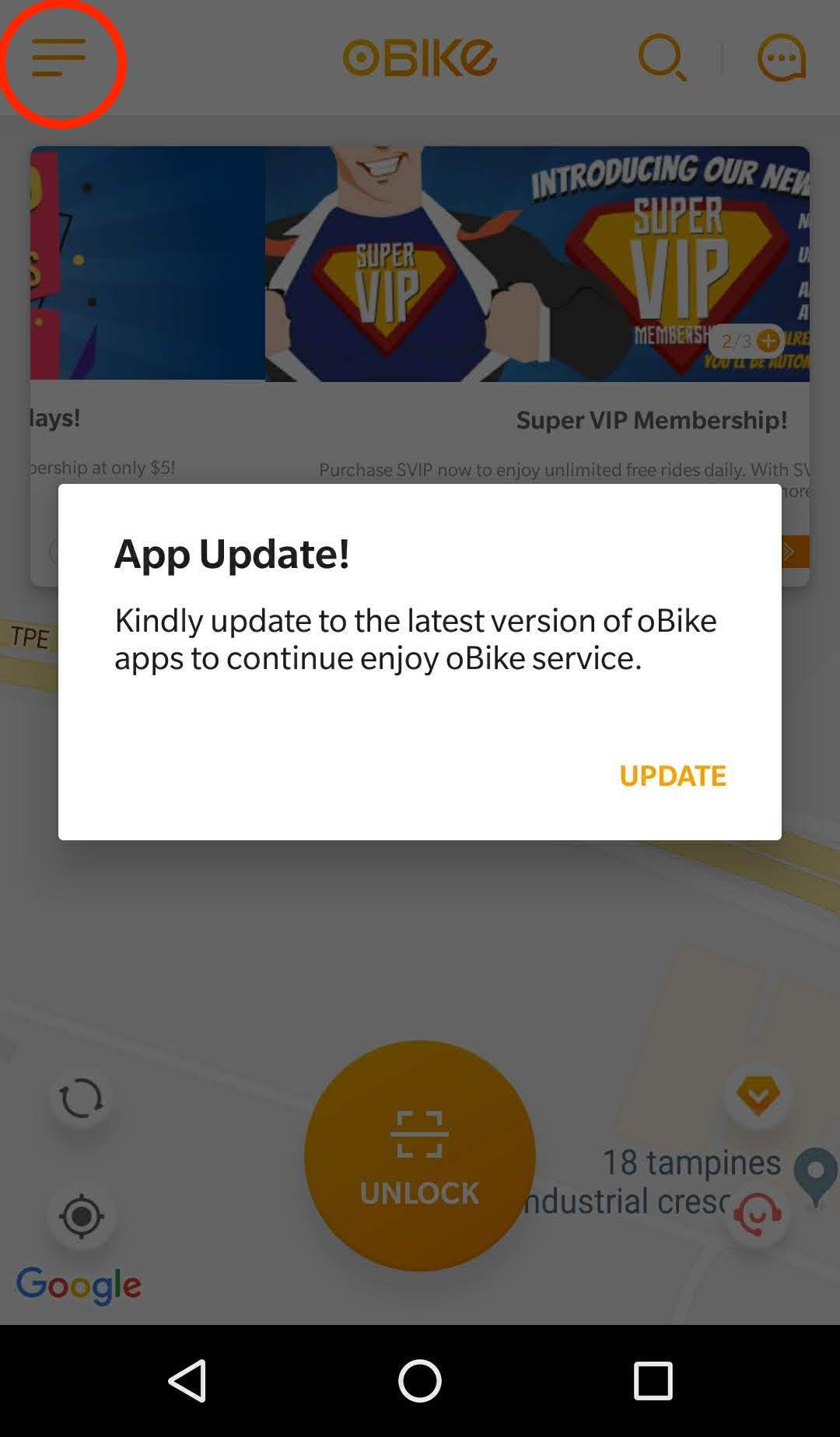
- Then quickly tap on "my wallet".
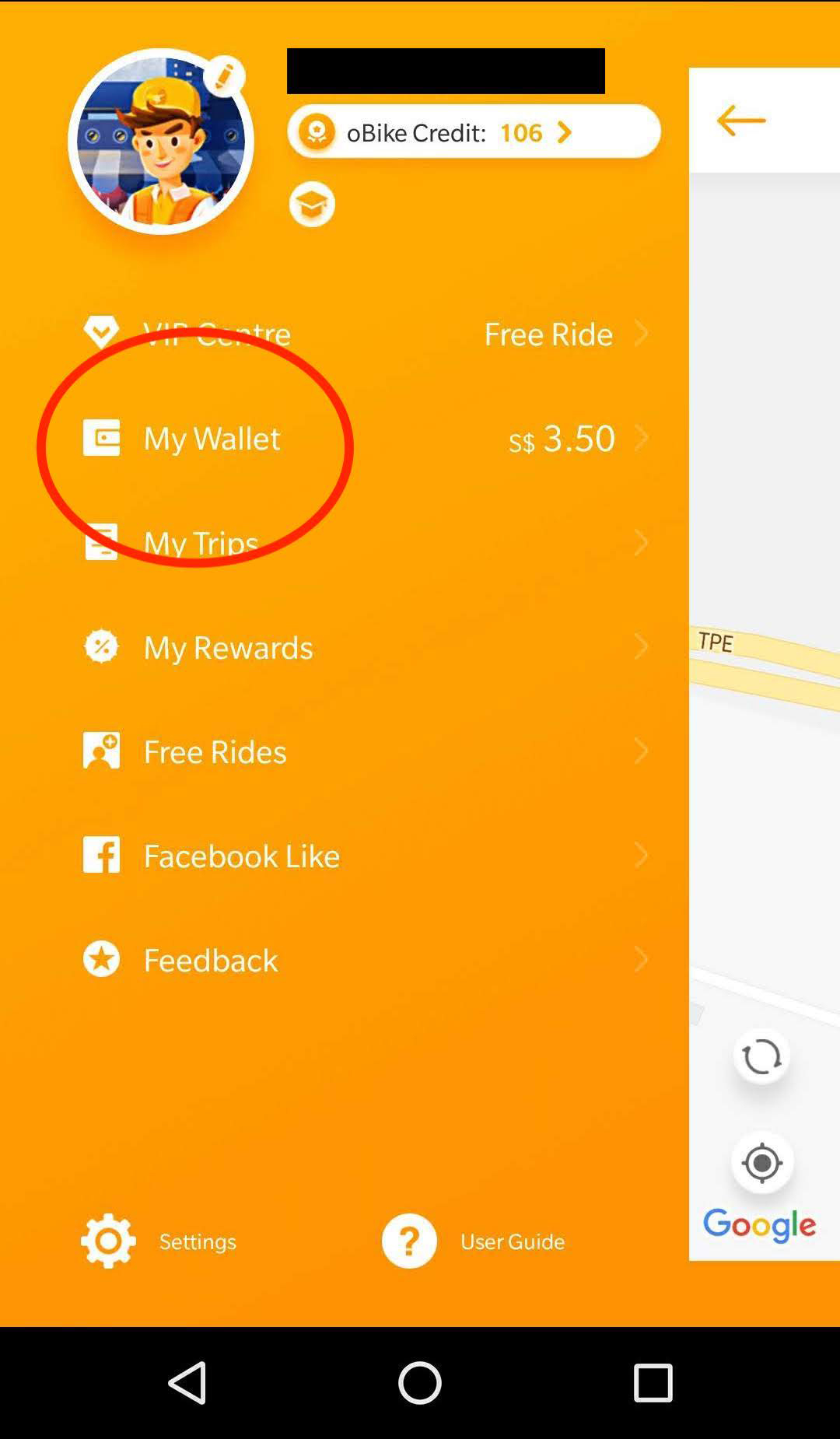
- Once there, tap on "My Deposit":
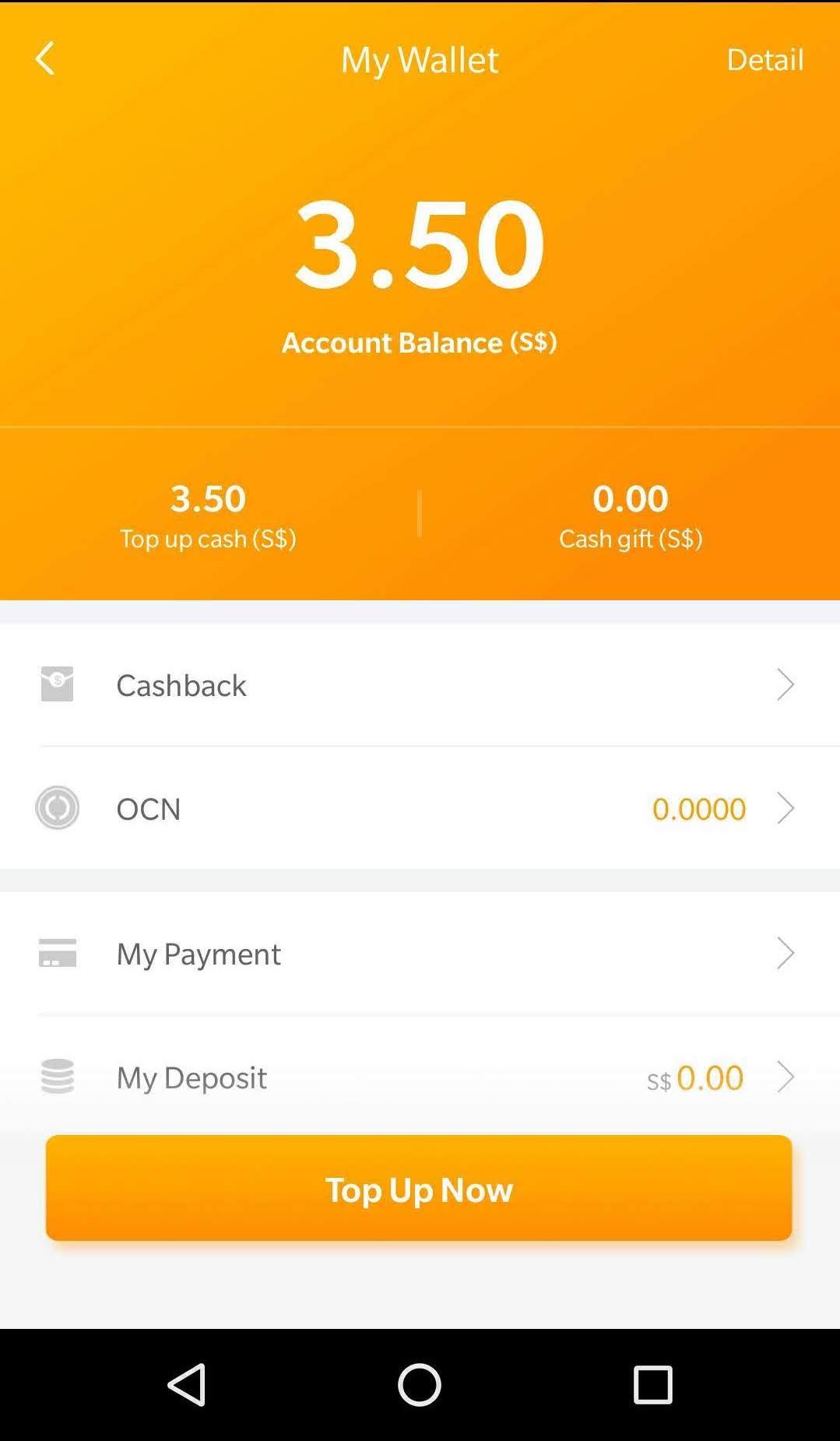 As you can see, this writer has successfully applied for a refund, which is why his deposit balance reads S$0.
- And it should bring you to this page, with the refund button smiling at you:
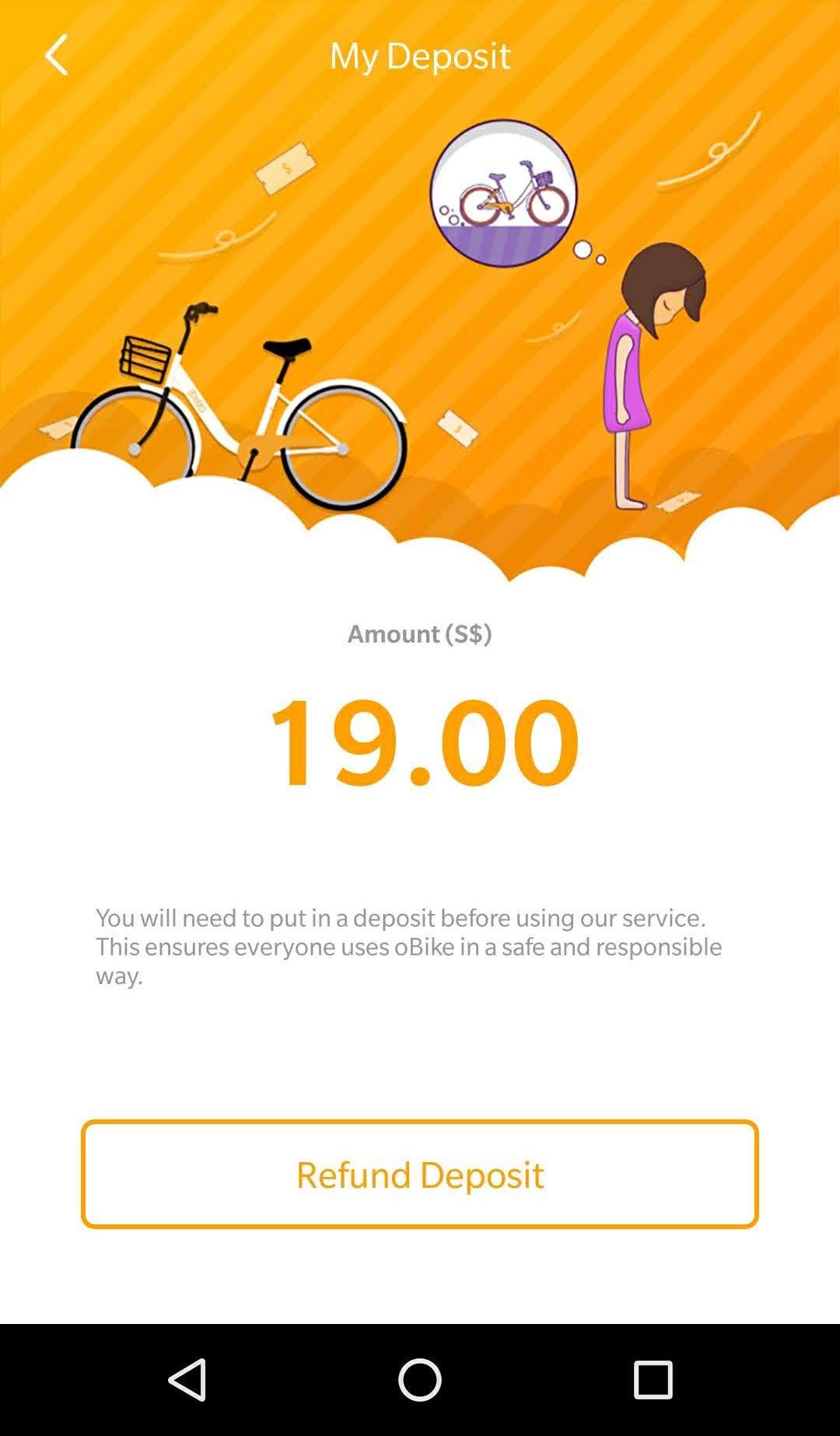 Students only deposit S$19 instead of S$49.
- Tap "Refund Deposit" and follow through the steps and it should bring you to the completed page, where the app promises to return your money within one to 30 days.
When you're done, you can uninstall the Aptoide and oBike apps.
Disclaimer
While this method allows you to apply for a refund from oBike, it still remains to be seen if they will actually transfer the promised amount.
Therefore, keep a lookout for the money being credited back into the original account you used.
But for S$49, it's worth a shot.
Top image by screenshot from app


If you like what you read, follow us on Facebook, Instagram, Twitter and Telegram to get the latest updates.