




News

S’poreans using M’sian customs app report seeing other users’ photos, personal info instead
A 1.1-star rating on the Apple App Store.
September 24, 2025, 02:37 PM


*Update: The article has been updated with Support MyNIISe's statement*
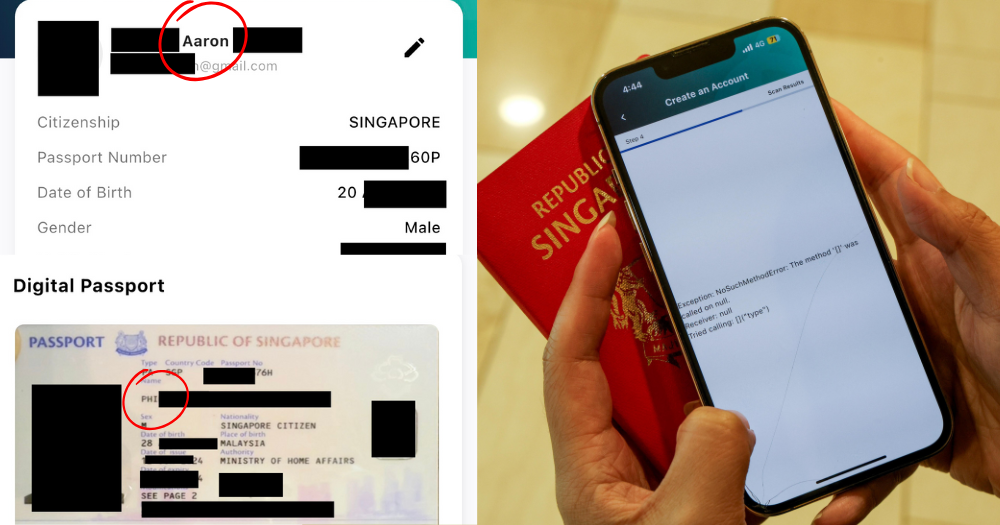
Since the launch of Malaysia's MyNIISe app on Sep. 22, many Singaporeans have reported facing difficulties in using it.
According to Lianhe Zaobao, some were unable to scan their passport to register, while others struggled with the app failing to load.
Zaobao's own reporters were also unable to register successfully despite multiple attempts.
However, some faced a more alarming problem — after finally managing to create an account, the passport and user photos displayed on the app were not theirs.
MyNIISe app
The app was rolled out as part of Malaysia's new National Integrated Immigration System (NIISe).
It was introduced to enable faster and smoother travel, as well as ease congestion at the two Johor Bahru land checkpoints.
The NIISe programme would enable drivers to scan a MyNIISe-generated QR code at dedicated lanes, theoretically eliminating the need for manual checks at counters.
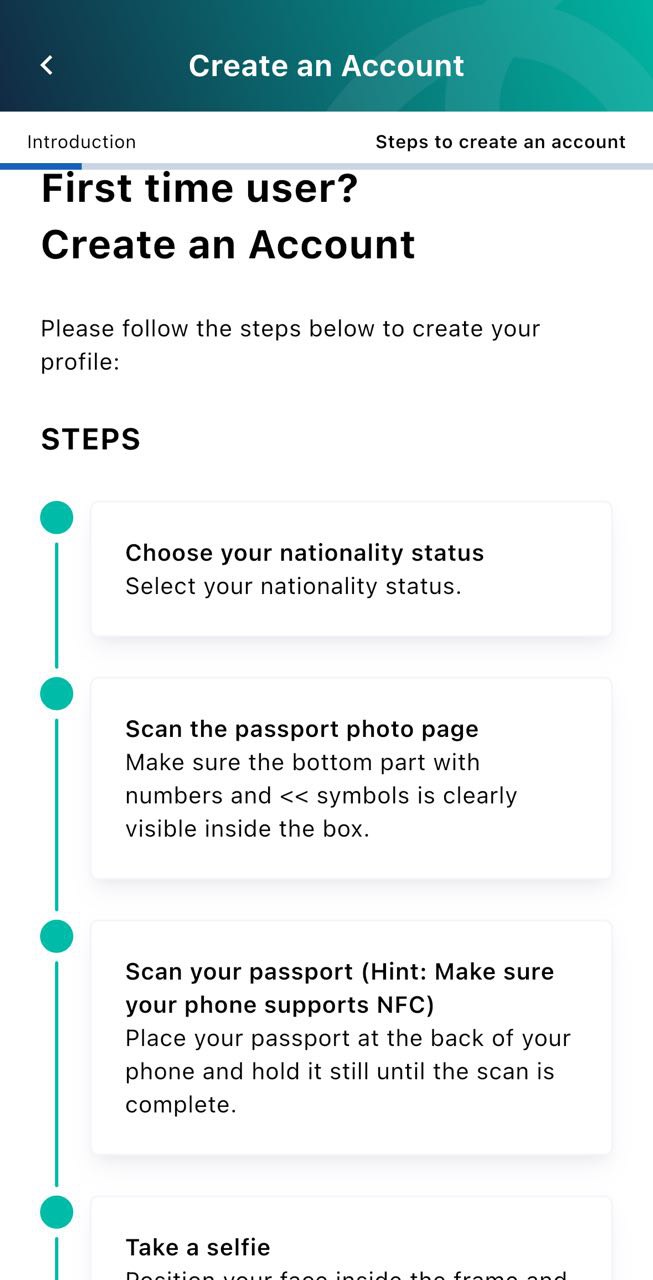
First-time users are required to scan both their passport photo page and their biometric data chip when creating an account.
 Screenshot via MyNIISe app
Someone else's passport photo displayed
A Mothership reader, who wanted to be known as Aaron, reached out to share his experience registering for the app.
He said that he was only able to complete the registration process while in Malaysia, whether on mobile data or Wi-Fi. Even then, the process was "not smooth" and required multiple attempts.
What shocked Aaron, however, was what came after.
He told Mothership that though his personal details were displayed correctly once his account was created, he realised that "the passport photo and the user photo shown were of someone else," adding that the photos appeared to belong to another Singaporean.
Aaron said that he has contacted the MyNIISe support team via email, but has yet to hear back from them.
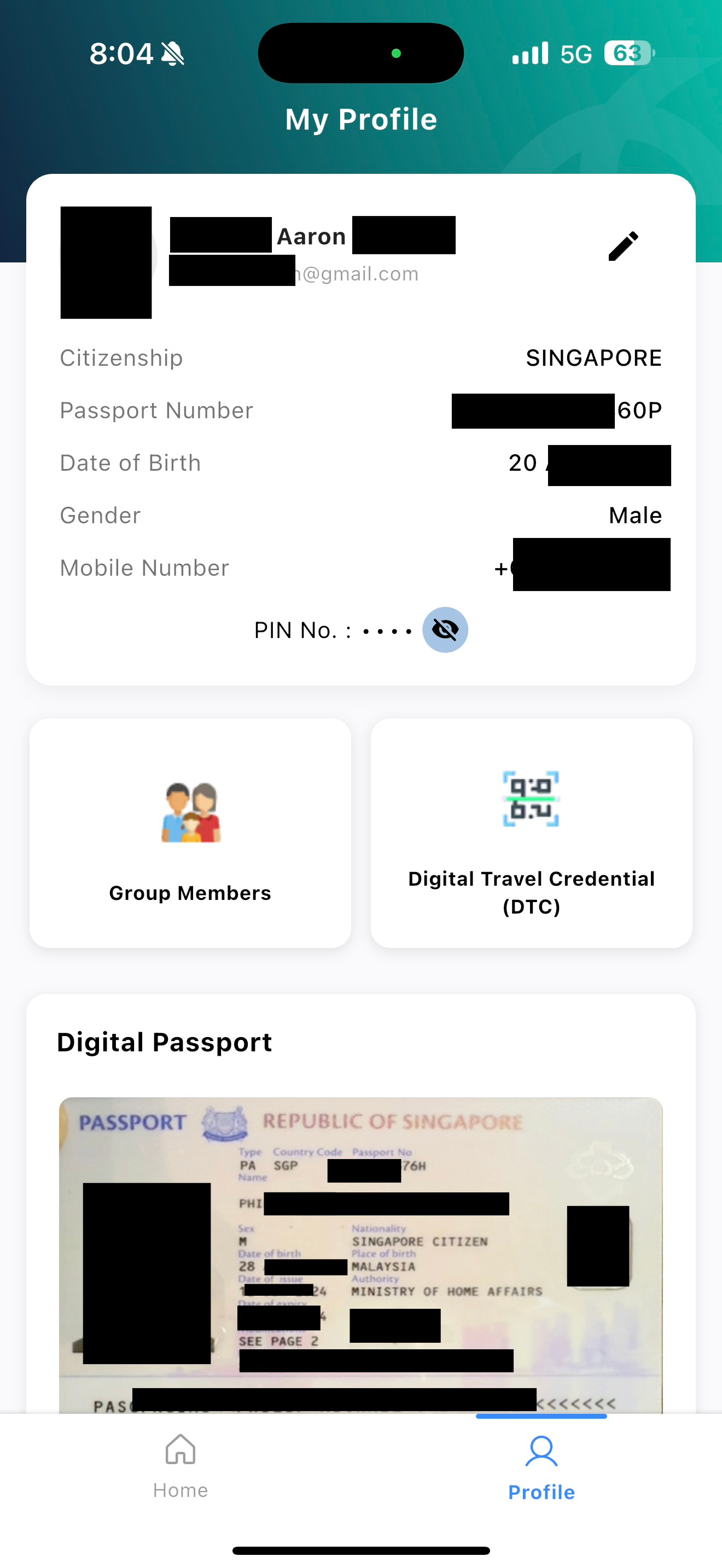 Photo via Aaron
As it turns out, Aaron isn't the only one facing this issue.
Another Mothership reader, Shaun, reported experiencing the same problem.
Shaun told Mothership that each time he attempted to scan his passport, the app would load for about five to 10 minutes, and he only managed to proceed after multiple attempts.
Like Aaron, while the app reflected his personal details accurately, the user and passport photos displayed belonged to a woman.
"As of right now, the issue remains, and I am seeing the passport copy of an unknown person," the Mothership reader said. "I'm now very concerned my information has been compromised and who knows where it might be."
He also reached out to the MyNIISe support team but has yet to receive a response.
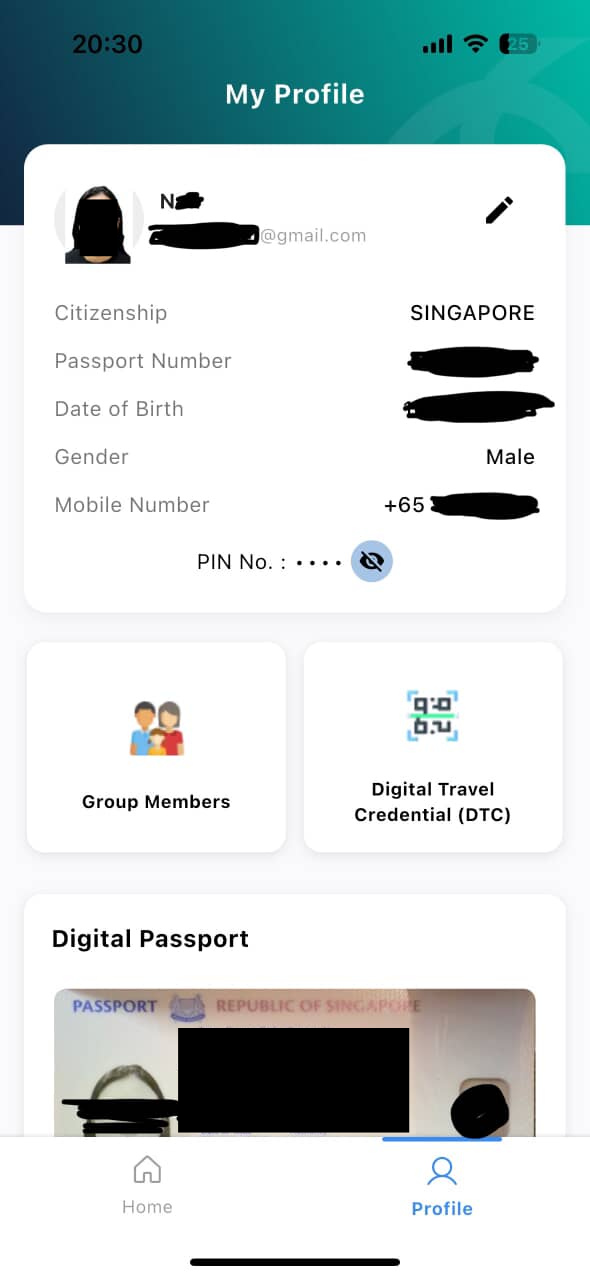 Photo via Mothership reader
Broader issues with the app
These reports follow widespread complaints about the app since its rollout.
As of the time of writing, the MyNIISe app has a 1.1-star rating from 414 users on the Apple App Store, with many citing failed passport scans, long loading times and repeated registration attempts.
Some travellers said that generating group QR codes was more troublesome than manual passport checks, while others speculated the app worked better on Malaysian networks.
One also had a similar photo-based concern.

Despite the Malaysian government's aim of easing congestion at land borders, the rocky rollout has raised concerns about the app's readiness and data security.
MyNIISe support team's response
In response to Mothership's queries, Support MyNIISe has released a statement on the issue.
"With reference to the issue reported with the MyNIISe application, our technical team has advised that updating your passport details may resolve the problem. Kindly follow the steps below to update your passport in the system:
1. Log in to the MyNIISe application.

2. Click on "Profile".
3. Select "Kemas Kini Pasport" / "Update Passport".

4. Follow the on-screen instructions to complete the update process.
We apologize for any inconvenience caused. We appreciate your continued patience and support during this trial run period. If you have any questions, please contact our support team at [email protected]"
Top photos via Aaron, Lianhe Zaobao