




News


13 cases in S’pore of scammers pretending to be police on Google Meet, at least S$32,000 lost since Apr. 1
Be wary of unsolicited video calls received from unknown sources.
April 20, 2026, 03:02 PM
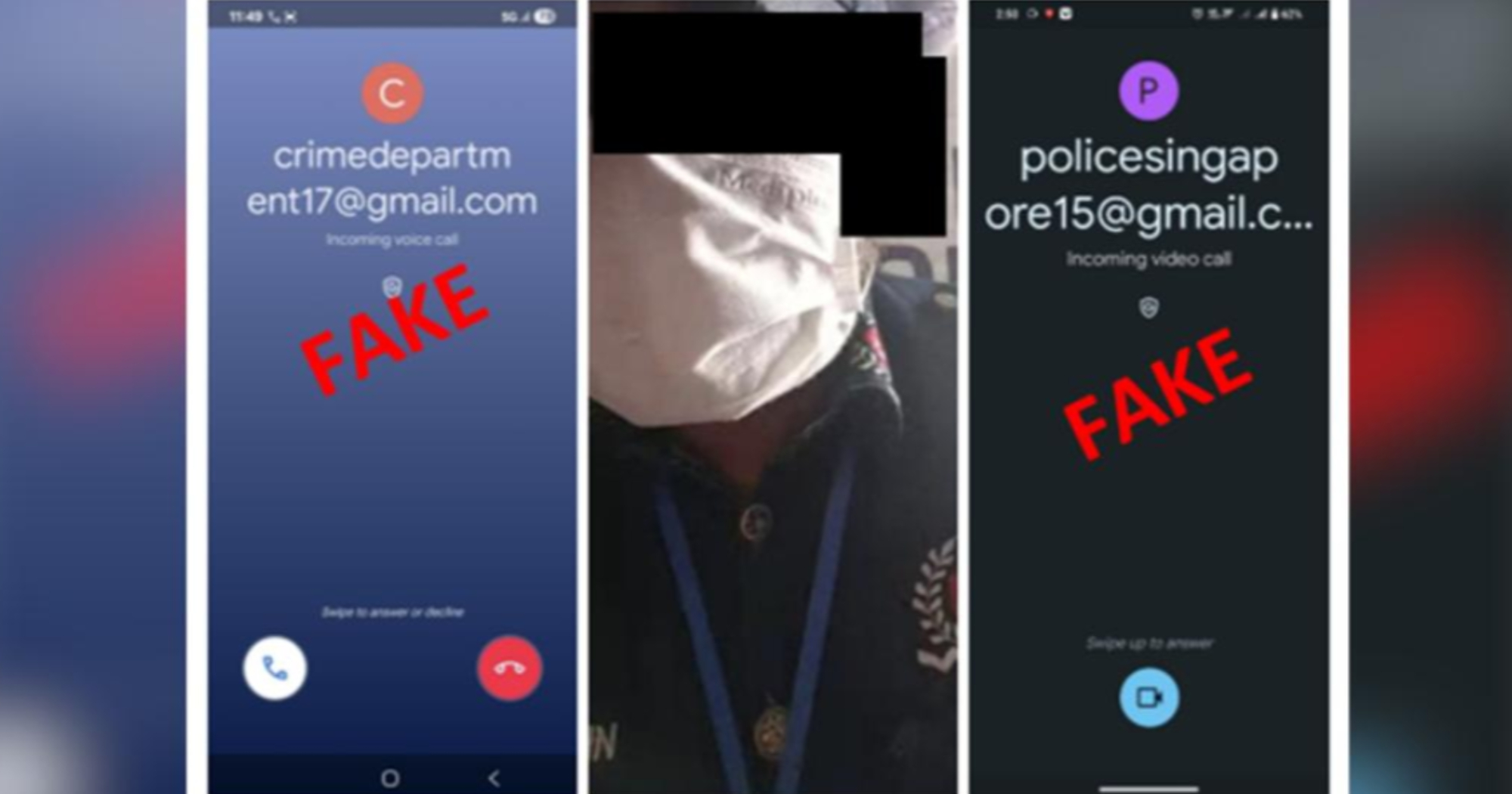


Since Apr. 1, at least 13 cases of scammers impersonating police officers on Google Meet video calls have been reported in Singapore, resulting in total losses of at least S$32,000.
The Singapore Police Force (SPF) informed members of the public of this scam variant in a news release on Apr. 19.
Unsolicited Google Meet video calls
Victims would receive unsolicited Google Meet video calls from scammers impersonating as police officers who were dressed in police uniforms.
In some cases, the scammers would also use the SPF logo as their profile picture.
The scammers may use terms such as “Singapore” or “police” in the email addresses used for the Google Meet Video calls.
They would then mention issues with the victim’s bank cards or accounts.
The scammers would then ask for the victim’s ibanking, card credentials and/ or one-time password (OTP), or both, for investigation purposes.
The victims would only realise that they had been scammed when they discovered unauthorised transactions in their bank accounts.
Be wary of unsolicited video calls
The police called on members of the public to be wary of unsolicited video calls received from unknown sources, and that SPF officers will never contact individuals over non-official channels.
The police also emphasised not to provide sensitive information, such as ibanking, card credentials or OTPs to anyone.
Singapore government officials, including SPF officers, will never ask members of the public to transfer or hand over valuables, disclose banking login details, install mobile apps from unofficial app stores, transfer calls to the police or any other government officials, the police said.
Members of the public are encouraged to add the ScamShield App to protect themselves from scam calls and SMSes, set security features, such as transaction limits and two-factor authentication (2FA).
They can check the legitimacy of suspicious messages, phone numbers and website links via the ScamShield app or visit the ScamShield website at www.scamshield.gov.sg.
Members of the public are also advised to tell the authorities, family, and friends about scams, report any fraudulent transactions to their bank immediately and report any fraudulent emails via the ScamShield app.
For more information on scams, members of the public can visit the ScamShield website or call the 24/7 ScamShield helpline at 1799.
A Google spokesperson said:
“The most effective way to prevent unsolicited or anonymous calls is to check the ‘Only contacts can call me’ setting. This is one of many layered protections in place to help block phishing and impersonation on Google Meet, on top of our built-in privacy tools. We encourage users to report ‘spam or abuse’ directly within a call and report suspicious behaviour. This helps our systems learn and improve to combat scammers. We encourage everyone to stay vigilant and use these features to stay safe online.”
Top photos via SPF