



News


Singpass launches iPhone passkey logins from Jul. 1
The launch starts with iPhone (iOS) users and will be extended to Android users in subsequent phases.
June 30, 2026, 06:30 PM
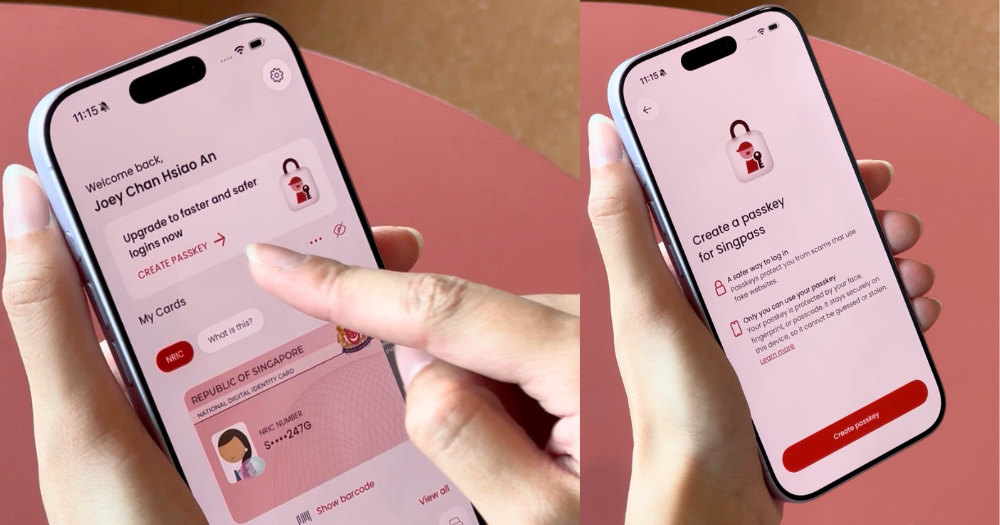
Top photo from Mothership


From Jul. 1, iPhone (iOS) users can create and use passkeys to log in to Singpass.
In a media release, the Government Technology Agency of Singapore (GovTech Singapore) announced the beta launch of passkeys as a new login method for Singpass users.
GovTech Singapore said that passkeys will be extended to Android users in subsequent phases.
Passkeys will add to existing authentication methods such as QR login, face verification, and SMS One-Time Passwords (OTPs).
In a media doorstop, GovTech Singapore Senior Director, Singpass, Winston Teo said: "Singpass is the foundational digital identity for residents and businesses."
"Passkeys make logging in safer and easier by removing the need for passwords and OTPs, and effectively protects our users from phishing scams."
He added that GovTech Singapore is constantly evolving its security to ensure Singpass remains safe and secure.
How to create passkey
Starting Jul. 1, 10am, iPhone users can create passkeys by updating the Singpass app to its latest version.
Once updated, users can open the app, tap on the banner on the home screen, and follow the instructions below to complete the passkey creation.
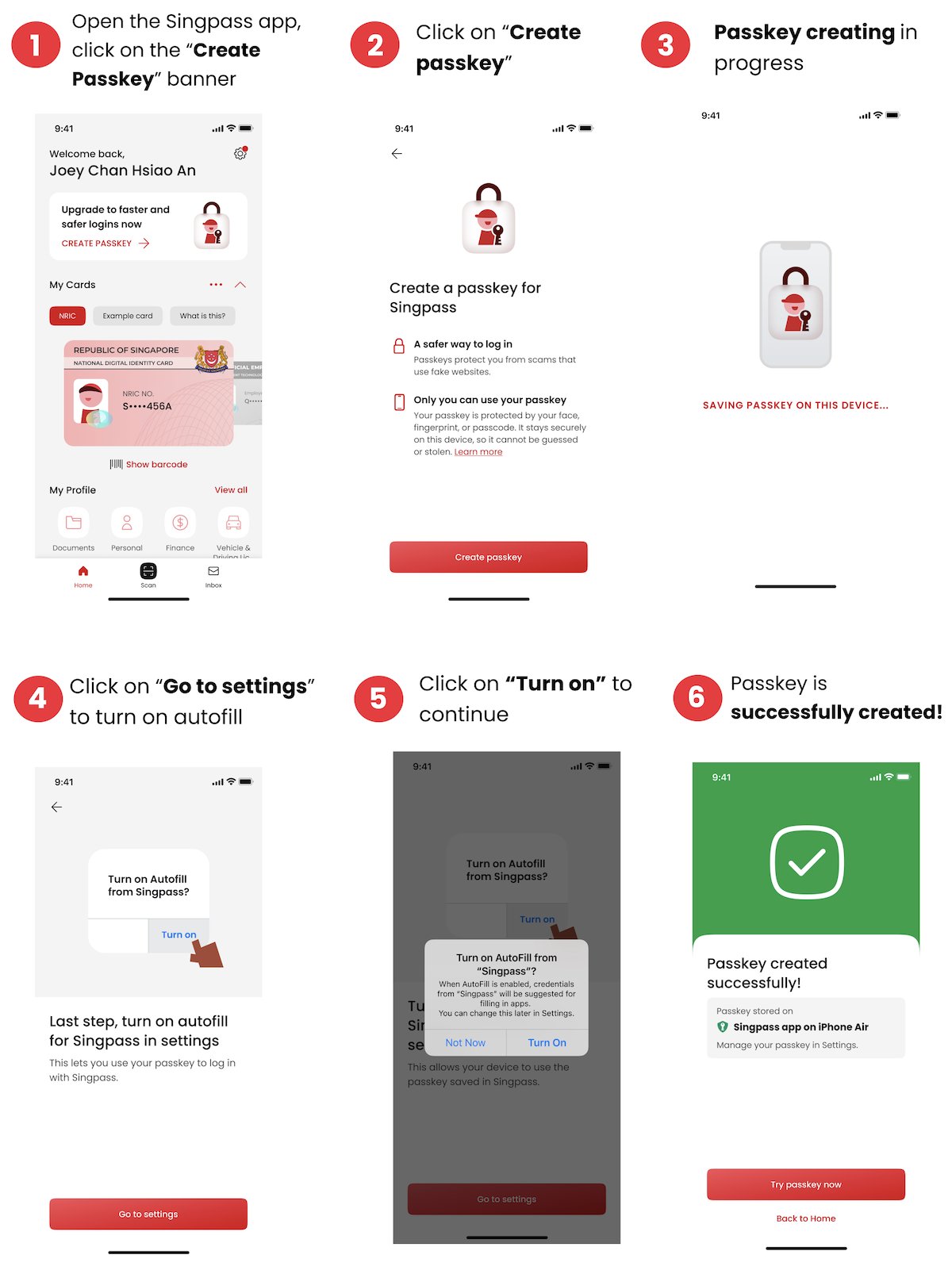 Photo from GovTech Singapore
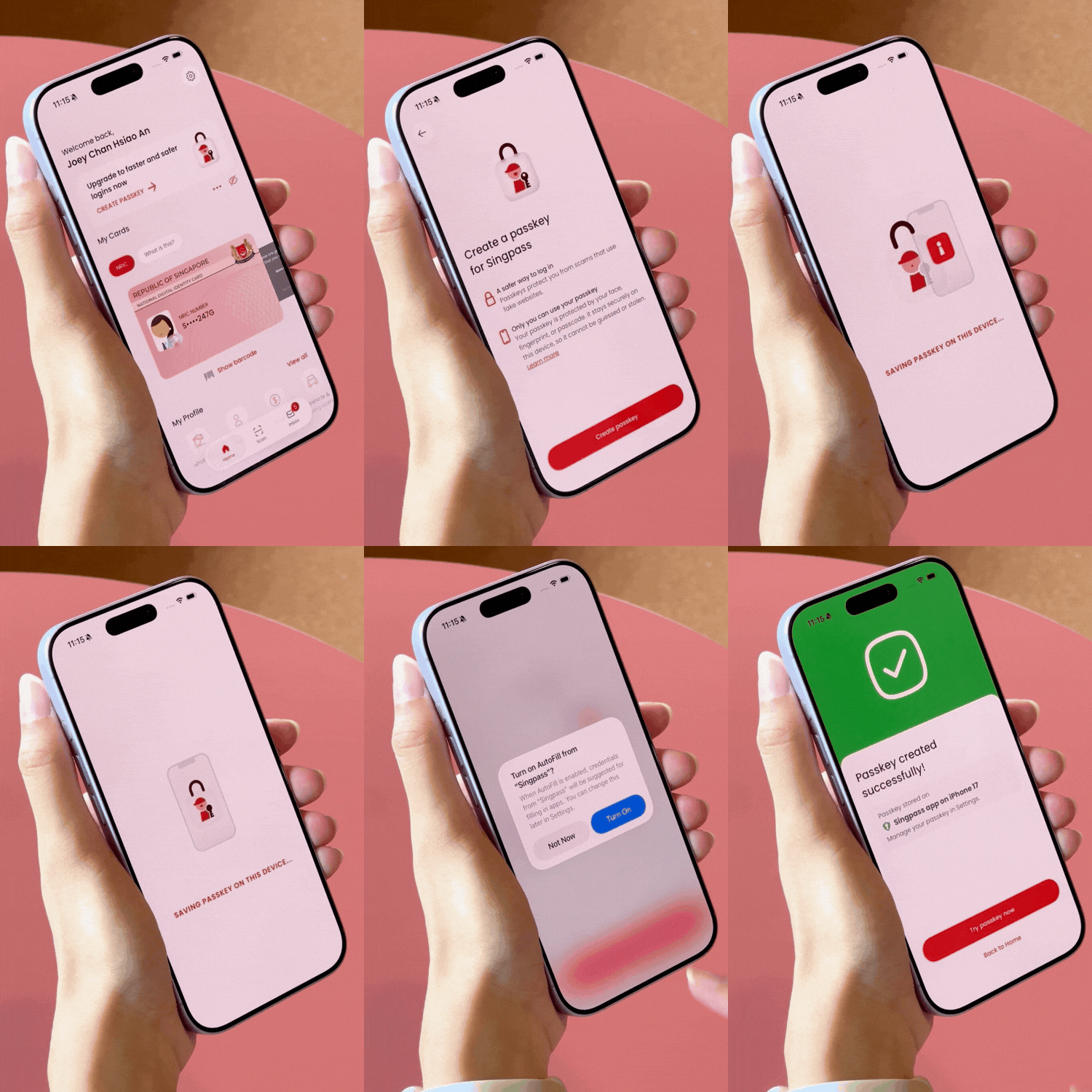 Video from Mothership
How to use passkey login
To log in, users select the passkey option on the Singpass login page and verify their identity using their fingerprints, facial recognition, or their six-digit app passcode.
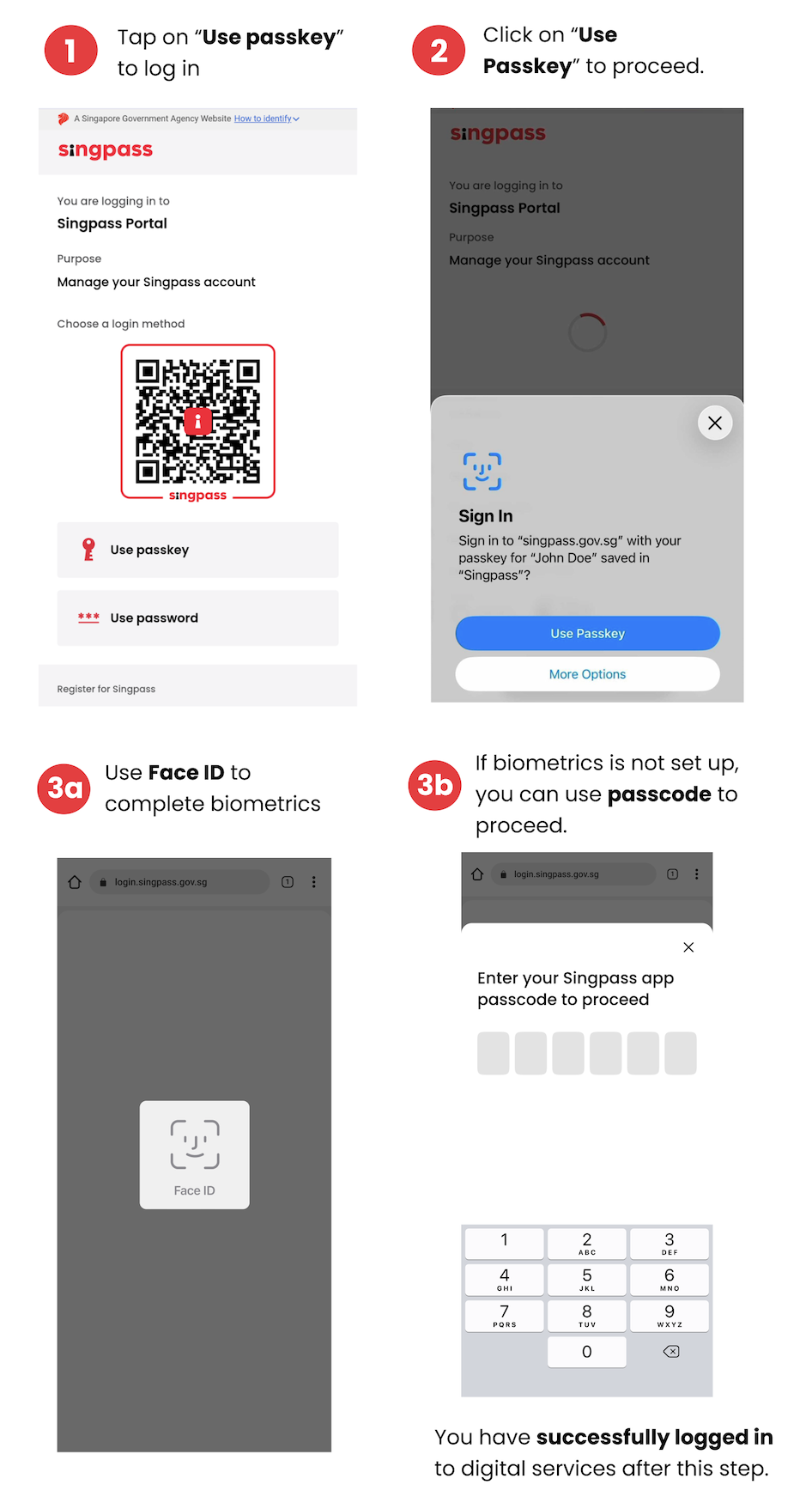 Photo from GovTech Singapore
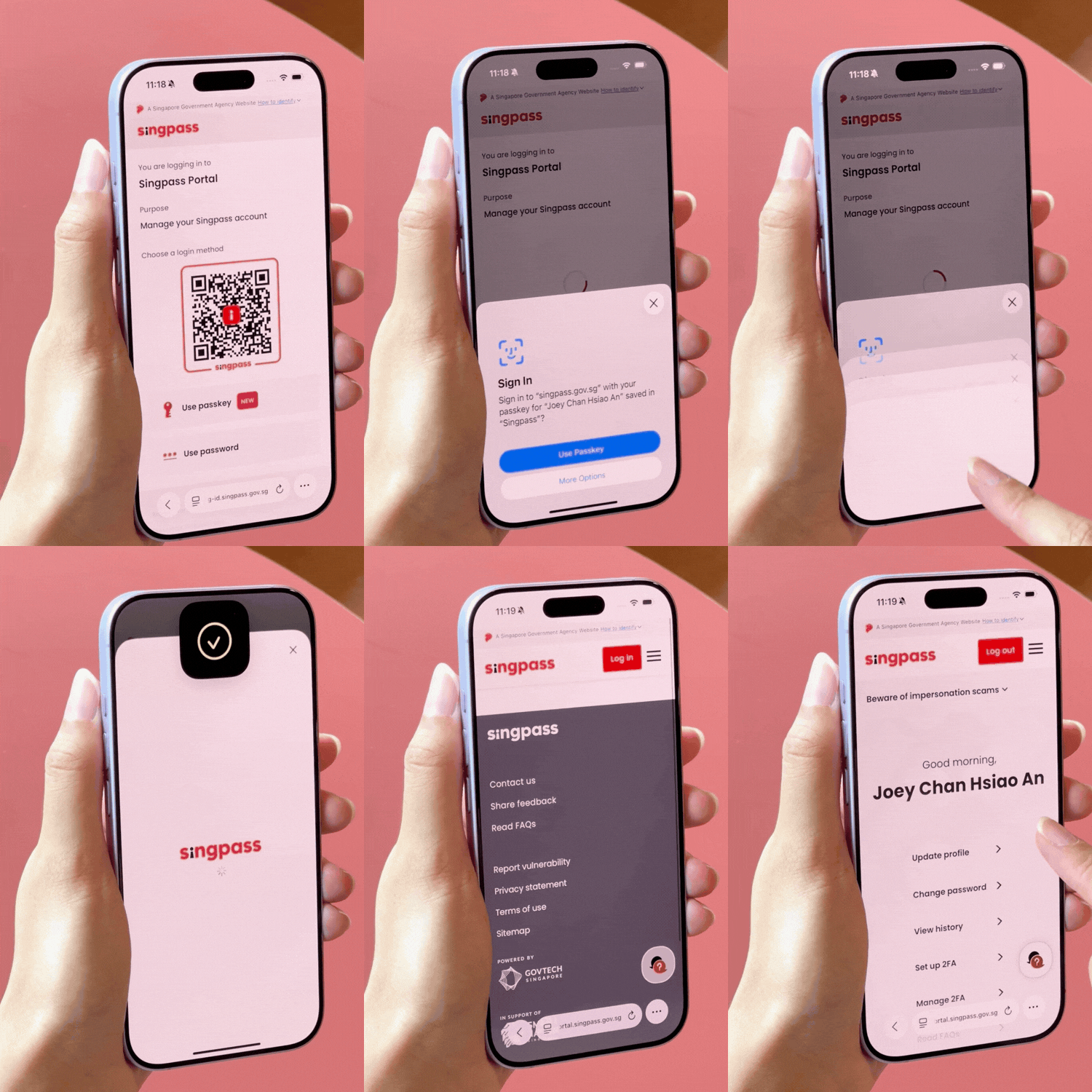 Video from Mothership
According to GovTech Singapore, users who have enabled notifications in their settings will receive a push notification in the Singpass app when the feature becomes available to them.
GovTech Singapore said existing authentication methods will remain available to ensure continued access to services.
GovTech Singapore added that if the device is lost or stolen, the Singpass app and passkey on that device will be automatically deactivated when the user sets up their Singpass app on another device.
What are passkeys?
Passkeys are a secure, password-free way to log in to services using public-private key cryptography.
This is the practice of developing and using algorithms to encode data, such as signatures, for security purposes and to validate that a login is taking place with a legitimate service.
When passkeys are created, a unique digital key pair is generated, the public key is registered with Singpass, while the private key is stored securely on the user's device.
Device-based authentication, such as app passcodes or biometrics like fingerprint and face recognition, will protect the private key.
Passkeys are bound to the legitimate Singpass login domain and will only work with Singpass logins on real government websites and private sector services integrated with Singpass.
They cannot be used on fake websites, thus protecting users against phishing scams.
Why use passkeys to log in?
In addition to faster login times, no login credentials are required with a passkey login, significantly reducing the risk of credential theft.
GovTech Singapore said: "Passkeys offer a more secure authentication method than passwords, which can be stolen, and conventional
QR codes, which scammers can mislead users into scanning."
GovTech Singapore added: "Users are strongly encouraged to adopt passkeys, as they provide an additional security layer against phishing scams and increasingly sophisticated cyber threats."
"Phishing scams were the second most common type of scam in Singapore in 2025, with losses amounting to S$39.9 million."
A Bluetooth proximity check will take place when passkeys are used to log in to a service on another device with the Singpass app.
This is to ensure that the passkey is only used for authentication on a nearby device and to prevent remote attacks.
GovTech Singapore added that passkeys cannot be shared or transferred via the cloud, preventing them from being exploited for scams.
Assistance channels
GovTech Singapore will expand its assistance channels to support user adoption of passkeys.
Users who need help can contact the Singpass Helpdesk or visit a ServiceSG counter located in community centres or clubs across Singapore.
GovTech Singapore added that users can give feedback via the Singpass website's contact form or within the Singpass app settings.
For more information on passkeys, visit the Singpass website here.
 Photo from GovTech Singapore